Everyone else built a gate app and bolted the books on.We started with the books.
A full accounting platform for residential communities, towers and compounds — double-entry books, dues and budgets — with the gate, the guard and the resident app on top of it. In 28 languages.
05The problem: Notices by the lift that half the residents never see?
No
YesCommunityHow ManageDen fixes it: Notices, announcements and surveys, each on record with its date
06The problem: The clubhouse booked twice for the same evening?
No
YesFacilitiesHow ManageDen fixes it: Slot-by-slot bookings that refuse a clash
07The problem: Complaints lost in a group chat?
No
YesHelpdeskHow ManageDen fixes it: Tickets with deadlines, escalation and resident ratings
08The problem: Nobody knows who lives in which home?
No
YesResidentsHow ManageDen fixes it: Owners, tenants and families on each home, with ID and leases
09The problem: Staff attendance and salaries kept in a notebook?
No
YesStaffHow ManageDen fixes it: Attendance, leave and payroll, and household help checked in daily
10The problem: Vendor jobs and payments chased over the phone?
No
YesVendorsHow ManageDen fixes it: Each vendor's assigned jobs, availability and earnings in one place
11The problem: Suppliers picked without comparing quotes?
No
YesProcurementHow ManageDen fixes it: Quotes side by side, purchase orders, bills followed to payment
12The problem: Meetings without minutes and elections nobody trusts?
No
YesGovernanceHow ManageDen fixes it: Minutes on record and secret-ballot elections, one vote per home
13The problem: Lifts and pumps repaired only after they fail?
No
YesMaintenanceHow ManageDen fixes it: Work orders and preventive maintenance on a schedule
14The problem: Blocks, units and owners spread over spreadsheets?
No
YesPropertiesHow ManageDen fixes it: One register of blocks, buildings, units and their fittings
15The problem: The committee never sees the whole picture?
No
YesOverviewHow ManageDen fixes it: One dashboard for money, dues, complaints, alerts and approvals
16The problem: Everyone sees everything, and changes go untraced?
No
YesAdministrationHow ManageDen fixes it: Roles and permissions per person, and an audit log of every change
Everything in one place
Inside01 · Security & Gate
How it works
1A resident invites a guest
2The guest gets a pass
3The guard checks it at the gate
4Entry and exit are logged
Types
Friend
Relative
Service
Delivery
Cab
Vehicles
Kids Entry / Exit
Example
A relative invited for Sunday is on the guard’s expected list with a pass, walks in without a call to the resident, and the visit is logged against that home.
Inside02 · Finance
How it works
1Bill heads are set once
2A month of bills in one run
3Paid online, by cash or cheque
4Receipted against the home
Types
Bill Heads
Invoices
Payments & Receipts
Online Payments
Interest on Late Payment
Utility Billing
Example
One bill carries maintenance by area, the sinking fund and water by its meter; paid online, it is receipted against the home at once, and late dues draw interest after the grace days.
Inside03 · Accounting
How it works
1A bill is raised
2Dues owed up, income up
3The member pays
4Bank up, dues owed down
Types
Asset
Liability
Equity
Income
Expense
Sinking/Reserve/Corpus Funds
Example
A bill of 3,000: members’ dues (an asset) +3,000 and maintenance income +3,000. Paid online: bank +3,000 and members’ dues −3,000. ManageDen posts both entries itself.
Inside04 · Tax & Compliance
How it works
1Insurance, AMCs and registers entered
2Each due date on one calendar
3What falls due is seen early
4Renewed before it lapses
Types
Compliance Calendar
Insurance Management
AMC / Contract Renewals
Statutory Registers
GST
TDS
Example
The lift’s AMC ends in March: it sits on the compliance calendar from the day it is entered, so it is renewed before the cover lapses. GST and TDS are for societies in India.
Inside05 · Community
How it works
1The committee writes a notice
2Sent to every member at once
3Kept on record with its date
4Surveys show what residents think
Types
Notices to Members
Announcements
Events
Surveys
Community Posts
Classifieds
Example
The water-tank cleaning notice reaches every member at once and stays on record with the date it was sent, so no one can say they were never told.
Inside06 · Facilities
How it works
1A resident picks a facility
2Then a free time slot
3The slot is booked
4No one can book it twice
Types
Facility Bookings
Facility Categories
Services
Service Requests
Directory Listings
Example
Two families want the party hall on Saturday evening: the first booking takes the slot, and the second sees it is taken and picks another time.
Inside07 · Helpdesk
How it works
1A resident raises a complaint
2Assigned, with a deadline
3Escalated if it runs late
4Resolved, then rated
Types
Plumbing
Electrical
Housekeeping
Security
Elevator
Parking
Carpentry
Example
A leaking tap is logged as Plumbing with its deadline; if it is still open when the time runs out, the escalation matrix tells the next person up.
Inside08 · Residents
How it works
1The home is on the register
2The owner is added, with KYC
3Rented out: the tenant and agreement added
4Move-in and move-out recorded
Types
Owner
Tenant
Family Member
KYC Documents
Contracts
Tenant Portal
Example
Flat B-204 is rented out: the owner stays on record as the owner, and the tenant is added with the rental agreement and police verification, both against the same flat.
Inside09 · Staff
How it works
1Staff in the employee master
2Attendance and leave kept daily
3Payroll runs from them
4Salaries posted to the books
Types
Employee Master
Payroll
Staff Leave
Domestic Staff
Daily-Help Attendance
Police Verification
Example
A guard’s month of attendance and leave is on record, payroll runs from it, the salary is posted to the books, and the guard’s police verification is kept alongside.
Inside10 · Vendors
How it works
1The society assigns a job
2The vendor sees it in their space
3They mark when they are free
4Earnings in one place
Types
Assigned Jobs
Vendor Availability
Vendor Earnings
Example
The plumber the society uses sees the jobs given this week, marks the days they are free, and sees what they have earned, without a single phone call.
Inside11 · Procurement
How it works
1A requisition is raised
2Quotes compared side by side
3Purchase order to the chosen supplier
4Goods received, the bill paid
Types
Supplier Master
Purchase Requisitions
Quotation Comparison
Purchase Orders
Goods Receipts (GRN)
Vendor Bills (AP)
Example
Three quotes for new CCTV cameras are set side by side; the purchase order records the supplier chosen, the cameras are received against it, and the bill is followed to payment.
Inside12 · Governance
How it works
1A meeting or AGM is called
2Run in the meeting room
3Minutes kept on record
4Elections: one secret vote per home
Types
Meetings / AGM
Society Elections
Approvals
Escalation Matrix
Document Vault
Example
At the election each flat votes once; the record that it voted is kept apart from its vote, so no flat can vote twice and no one can see how a flat voted.
Inside13 · Maintenance
How it works
1Assets on the register
2How often each is serviced
3What falls due is listed
4A work order for each job
Types
Work Orders
Preventive Maintenance
Maintenance Due
Asset Depreciation
Asset & AMC
Example
The lift is serviced every quarter: the next service is listed as due before its date and goes out as a work order, so it is done before the lift stops.
Inside14 · Properties
How it works
1The company and its branches
2Blocks and buildings
3Units, with what each comes with
4Listings to rent or resell
Types
Apartment
Villa
Shop
Unit Facilities
Interior Items
Property Listings (Rent/Resale)
Example
A township of two towers and a row of shops is set up once: every block, building, flat and shop on one register, with what each flat comes with.
Inside15 · Overview
How it works
1Every part reports in
2All on one dashboard
3Money: billed, collected, owed
4What needs attention today
Types
Collected
Outstanding
Open complaints
Active SOS alerts
Guests expected today
Waiting for approval
Maintenance overdue
Example
The treasurer opens one screen and sees this month’s bills against what has come in, who owes and for how long, and the complaints and approvals waiting.
Inside16 · Administration
How it works
1Roles are set up
2Each person given a role
3Each sees what the role allows
4Every change in the audit log
Types
Roles & Permissions
Audit Log
Master Data / Lookups
Notification & Doc Templates
Integrations
Example
A guard signs in to the guard app and cannot open the accounts; when someone edits a bill, the audit log shows who changed it, what changed and when.
Every home, every gate, every payment — one record.
A/C 2000 · Why boards switch
Why boards switch
Books that pass an audit
Income & Expenditure, Balance Sheet and Receipts & Payments come straight from the ledger — not rebuilt from a spreadsheet the week before the annual meeting.
One system for every building
Apartment towers, gated communities and villa compounds share the same books, the same gate and the same staff records.
No ads to your residents
We do not monetise the people living in your community. No marketplace, no lead-gen on your noticeboard.
The gate posts to the ledger
A visitor, a delivery and a dues receipt are three events on one unit’s record, in one system — not three apps that disagree.
A/C 2500 · How it works
From the gate to the ledger, one step at a time.
These are the real screens, recorded from the running product. Pick a step to see it.
manageden.com
manageden.com
manageden.com
A/C 2700 · Amenities
The amenities residents pay for, booked properly.
Slots come from each facility’s own hours and rules. A taken slot shows as taken, and the front desk sees who is expected.
Pool and terraceBooked by the hour, from the appGym and clubhouseOpening hours, house rules and who bookedFront deskWho is expected, who is inside, who has left
A/C 3000 · Journal Voucher · JV-2026-0841
A dues receipt writes four lines, not one.
Collect 1,200 from a unit, in your currency, and a real ledger moves in four places at once — income, bank, receivable and the owner’s own account.
Journal Voucher · JV-2026-0841
Account
Debit
Credit
Bank — Association A/C
1,200.00
—
Dues Income
—
1,200.00
Unit Ledger — B-1204
—
1,200.00
Dues Receivable
1,200.00
—
Total debit2,400.00
Total credit2,400.00
✓ Balanced
A/C 5000 · Books that hold up, wherever you are.
Books that hold up, wherever you are.
Every community answers to its owners, and most to an auditor too. These are the records that decide whether its accounts hold up.
01 Audit-ready books
Double-entry from the first receipt, so the statements come out of the ledger rather than out of a spreadsheet.
Chart of accounts and day book
Bank reconciliation
Trial balance and financial statements
Budget against actual
02 Tax, set per country
Tax rules differ by country, so they are set up per market instead of being assumed.
India: GST and TDS built in
Qatar: service charges, no GST
Each community’s own currency
Compliance calendar with due dates
03 Records boards must keep
Members, meetings and votes are kept as you operate, not rebuilt for the auditor.
Owner and tenant register
Minutes of meetings and AGMs
Elections with ballots and results
An audit log of every change
A/C 6000 · The whole product
122 screens. One login. Nothing hidden behind “contact sales.”
The gate, dues, the books, complaints, meetings, staff and vendors — every part of running a residential community is already a screen in ManageDen. Here is all of it, with what is live today marked honestly.
122Live today
122Screens in total
16Areas covered
Tenant Portal
Facility bookings
Office hours & holidays
Overview
1/1
The whole community at a glance: dues, visitors, complaints and bookings on one dashboard.
Dashboard — live
Properties
8/8
How the community is laid out: branches, blocks, buildings, units, what is fitted in each, and listings to rent or sell.
A/C 7000 · One console to run it. One app to live in it.
One console to run it. One app to live in it.
Web — the admin console
The full surface for the board, the manager and the accountant. Every module, every register, every report.
BoardManagerAccountantAuditor
Mobile — role-based panels
An app that shows each person only their world. A guard sees the gate. A resident sees their home, their dues and their visitors. A manager sees the boards.
OwnerTenantFamilyGuardFacility staffVendor
manageden.com
A/C 7500 · Every role
Everyone gets their own app.
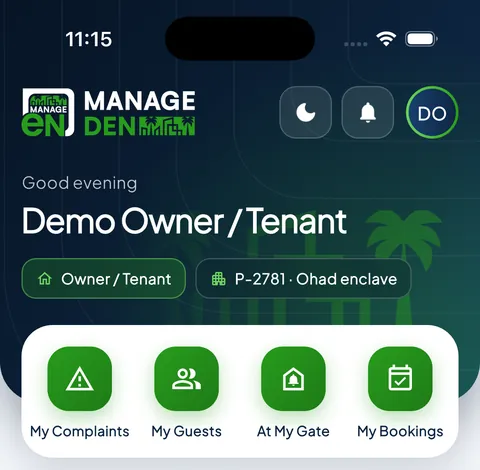
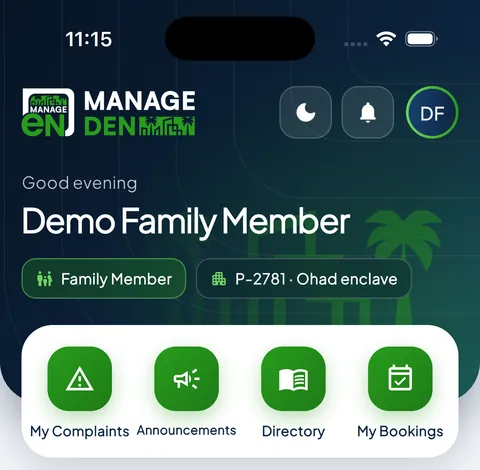
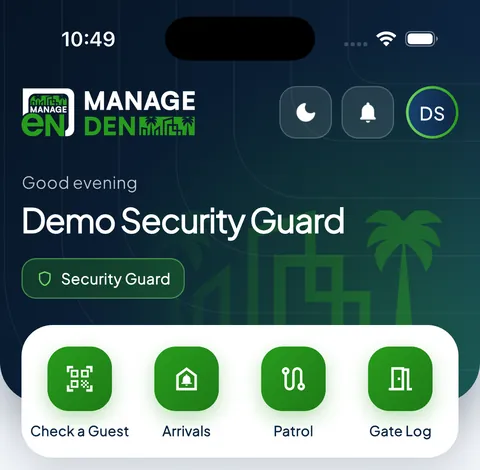
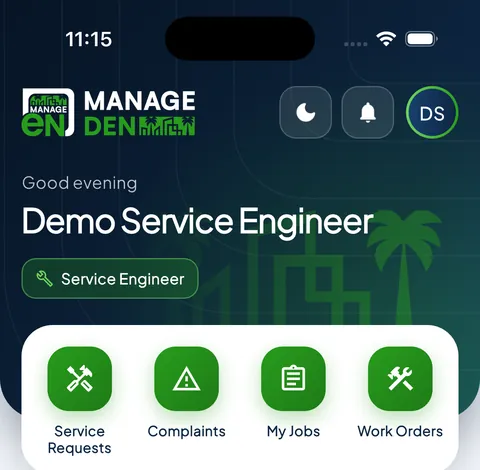
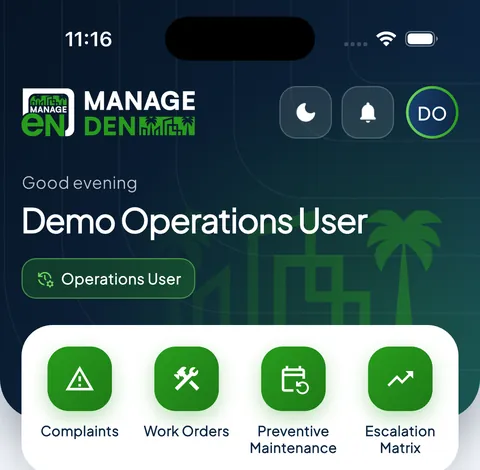
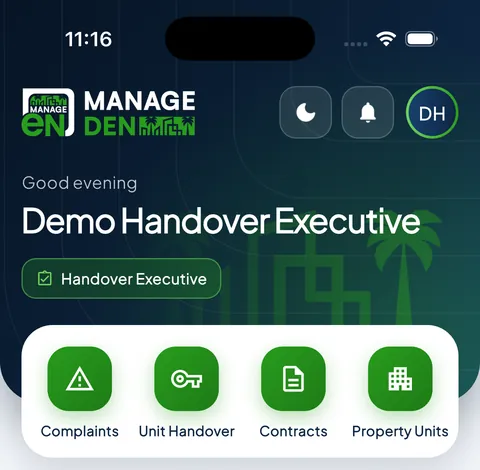
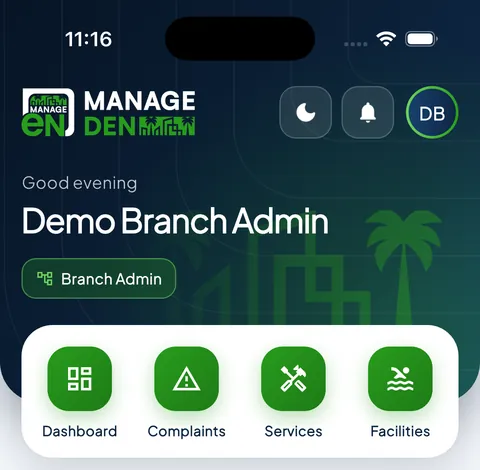
One app, nine roles. Each person signs in and sees only their own screens. These are the real home screens, as each role sees them.
Owner / TenantComplaints, guests, bookings and dues
Family memberThe household’s day to day
Security guardCodes, arrivals and the patrol
Service engineerJobs, work orders and maintenance
OperationsComplaints, work orders and escalations
HandoverUnits, contracts and move-ins
Site managerThe whole site on one screen
Your community is a business. Run it like one.
A walkthrough of the ledger, the dues and the gate — using your own accounts.
Yes. ManageDen runs in any browser and on iPhone and Android. The books, dues, the gate and the resident app work the same everywhere. Tax is set per market: GST and TDS are built in for India, and Qatar runs service charges without GST. Tell us your country and we will tell you exactly what applies.
Which languages does it support?
Twenty-eight: English, Arabic, Persian, Urdu, Hindi, Bengali, Marathi, Gujarati, Tamil, Telugu, Kannada, Malayalam, Chinese, Japanese, Korean, Thai, Vietnamese, Indonesian, Malay, Spanish, Portuguese, French, German, Italian, Dutch, Polish, Russian and Turkish. Arabic, Persian and Urdu run fully right to left, and this site is in every one of them: the language button at the top switches it.
Do residents get an app?
Yes. A role-based mobile app: a resident sees their home, dues and visitors; a guard sees the gate; a manager sees the boards. Nobody sees more than their role.
Can we move our existing data across?
Yes. We load your units, owners, tenants and opening balances during setup, so the ledger starts from your real closing position rather than from zero.
A/C 4000 · Where we work
Where we work
India
Housing societies and RWAs in 20 cities, with GST, TDS and the statutory registers built in.