

Owners’ association & compound management software

Everyone else built a gate app and bolted the books on. We started with the books.Property and community management software in Doha

Doha towers mix owner-occupiers, long-lease tenants and corporate lets in one building, so the ledger has to keep three kinds of payer straight.

Your compound — live--:--:--
Service charge received
Visitor approved
Request raised

Service charge received · A-402 · QAR 2,400Visitor approved · B-1204 · gate pass issuedRequest raised · C-807 · routed to facilities

115
screens across 17 functional groups
2-way
double-entry books, not a payments log
AR + EN
full right-to-left Arabic interface
0
ads shown to your residents. Ever.

A/C 0500 · Problems it solves

What goes wrong in a community, and how ManageDen puts it right.

Every part of ManageDen answers an everyday problem. Point at one to follow it through.

  1. 01 The problem: Visitors walk in with nothing recorded?

    Security & GateHow ManageDen fixes it: Guest passes in advance, a guard app, every entry logged
  2. 02 The problem: Dues collected by hand and chased on WhatsApp?

    FinanceHow ManageDen fixes it: Bills in one run, payment links, receipts and a defaulter list
  3. 03 The problem: Accounts nobody can check before the annual meeting?

    AccountingHow ManageDen fixes it: Double-entry books, trial balance and bank reconciliation
  4. 04 The problem: Insurance and contracts lapse before anyone notices?

    Tax & ComplianceHow ManageDen fixes it: A compliance calendar: renewals, insurance, statutory registers
  5. 05 The problem: Notices by the lift that half the residents never see?

    CommunityHow ManageDen fixes it: Notices, announcements and surveys, each on record with its date
  6. 06 The problem: The clubhouse booked twice for the same evening?

    FacilitiesHow ManageDen fixes it: Slot-by-slot bookings that refuse a clash
  7. 07 The problem: Complaints lost in a group chat?

    HelpdeskHow ManageDen fixes it: Tickets with deadlines, escalation and resident ratings
  8. 08 The problem: Nobody knows who lives in which home?

    ResidentsHow ManageDen fixes it: Owners, tenants and families on each home, with ID and leases
  9. 09 The problem: Staff attendance and salaries kept in a notebook?

    StaffHow ManageDen fixes it: Attendance, leave and payroll, and household help checked in daily
  10. 10 The problem: Vendor jobs and payments chased over the phone?

    VendorsHow ManageDen fixes it: Each vendor's assigned jobs, availability and earnings in one place
  11. 11 The problem: Suppliers picked without comparing quotes?

    ProcurementHow ManageDen fixes it: Quotes side by side, purchase orders, bills followed to payment
  12. 12 The problem: Meetings without minutes and elections nobody trusts?

    GovernanceHow ManageDen fixes it: Minutes on record and secret-ballot elections, one vote per home
  13. 13 The problem: Lifts and pumps repaired only after they fail?

    MaintenanceHow ManageDen fixes it: Work orders and preventive maintenance on a schedule
  14. 14 The problem: Blocks, units and owners spread over spreadsheets?

    PropertiesHow ManageDen fixes it: One register of blocks, buildings, units and their fittings
  15. 15 The problem: The committee never sees the whole picture?

    OverviewHow ManageDen fixes it: One dashboard for money, dues, complaints, alerts and approvals
  16. 16 The problem: Everyone sees everything, and changes go untraced?

    AdministrationHow ManageDen fixes it: Roles and permissions per person, and an audit log of every change

Inside01 · Security & Gate

How it works

  1. A resident invites a guest
  2. The guest gets a pass
  3. The guard checks it at the gate
  4. Entry and exit are logged

Types

  • Friend
  • Relative
  • Service
  • Delivery
  • Cab
  • Vehicles
  • Kids Entry / Exit

Example

A relative invited for Sunday is on the guard’s expected list with a pass, walks in without a call to the resident, and the visit is logged against that home.

Inside02 · Finance

How it works

  1. Bill heads are set once
  2. A month of bills in one run
  3. Paid online, by cash or cheque
  4. Receipted against the home

Types

  • Bill Heads
  • Invoices
  • Payments & Receipts
  • Online Payments
  • Interest on Late Payment
  • Utility Billing

Example

One bill carries maintenance by area, the sinking fund and water by its meter; paid online, it is receipted against the home at once, and late dues draw interest after the grace days.

Inside03 · Accounting

How it works

  1. A bill is raised
  2. Dues owed up, income up
  3. The member pays
  4. Bank up, dues owed down

Types

  • Asset
  • Liability
  • Equity
  • Income
  • Expense
  • Sinking/Reserve/Corpus Funds

Example

A bill of 3,000: members’ dues (an asset) +3,000 and maintenance income +3,000. Paid online: bank +3,000 and members’ dues −3,000. ManageDen posts both entries itself.

Inside04 · Tax & Compliance

How it works

  1. Insurance, AMCs and registers entered
  2. Each due date on one calendar
  3. What falls due is seen early
  4. Renewed before it lapses

Types

  • Compliance Calendar
  • Insurance Management
  • AMC / Contract Renewals
  • Statutory Registers
  • GST
  • TDS

Example

The lift’s AMC ends in March: it sits on the compliance calendar from the day it is entered, so it is renewed before the cover lapses. GST and TDS are for societies in India.

Inside05 · Community

How it works

  1. The committee writes a notice
  2. Sent to every member at once
  3. Kept on record with its date
  4. Surveys show what residents think

Types

  • Notices to Members
  • Announcements
  • Events
  • Surveys
  • Community Posts
  • Classifieds

Example

The water-tank cleaning notice reaches every member at once and stays on record with the date it was sent, so no one can say they were never told.

Inside06 · Facilities

How it works

  1. A resident picks a facility
  2. Then a free time slot
  3. The slot is booked
  4. No one can book it twice

Types

  • Facility Bookings
  • Facility Categories
  • Services
  • Service Requests
  • Directory Listings

Example

Two families want the party hall on Saturday evening: the first booking takes the slot, and the second sees it is taken and picks another time.

Inside07 · Helpdesk

How it works

  1. A resident raises a complaint
  2. Assigned, with a deadline
  3. Escalated if it runs late
  4. Resolved, then rated

Types

  • Plumbing
  • Electrical
  • Housekeeping
  • Security
  • Elevator
  • Parking
  • Carpentry

Example

A leaking tap is logged as Plumbing with its deadline; if it is still open when the time runs out, the escalation matrix tells the next person up.

Inside08 · Residents

How it works

  1. The home is on the register
  2. The owner is added, with KYC
  3. Rented out: the tenant and agreement added
  4. Move-in and move-out recorded

Types

  • Owner
  • Tenant
  • Family Member
  • KYC Documents
  • Contracts
  • Tenant Portal

Example

Flat B-204 is rented out: the owner stays on record as the owner, and the tenant is added with the rental agreement and police verification, both against the same flat.

Inside09 · Staff

How it works

  1. Staff in the employee master
  2. Attendance and leave kept daily
  3. Payroll runs from them
  4. Salaries posted to the books

Types

  • Employee Master
  • Payroll
  • Staff Leave
  • Domestic Staff
  • Daily-Help Attendance
  • Police Verification

Example

A guard’s month of attendance and leave is on record, payroll runs from it, the salary is posted to the books, and the guard’s police verification is kept alongside.

Inside10 · Vendors

How it works

  1. The society assigns a job
  2. The vendor sees it in their space
  3. They mark when they are free
  4. Earnings in one place

Types

  • Assigned Jobs
  • Vendor Availability
  • Vendor Earnings

Example

The plumber the society uses sees the jobs given this week, marks the days they are free, and sees what they have earned, without a single phone call.

Inside11 · Procurement

How it works

  1. A requisition is raised
  2. Quotes compared side by side
  3. Purchase order to the chosen supplier
  4. Goods received, the bill paid

Types

  • Supplier Master
  • Purchase Requisitions
  • Quotation Comparison
  • Purchase Orders
  • Goods Receipts (GRN)
  • Vendor Bills (AP)

Example

Three quotes for new CCTV cameras are set side by side; the purchase order records the supplier chosen, the cameras are received against it, and the bill is followed to payment.

Inside12 · Governance

How it works

  1. A meeting or AGM is called
  2. Run in the meeting room
  3. Minutes kept on record
  4. Elections: one secret vote per home

Types

  • Meetings / AGM
  • Society Elections
  • Approvals
  • Escalation Matrix
  • Document Vault

Example

At the election each flat votes once; the record that it voted is kept apart from its vote, so no flat can vote twice and no one can see how a flat voted.

Inside13 · Maintenance

How it works

  1. Assets on the register
  2. How often each is serviced
  3. What falls due is listed
  4. A work order for each job

Types

  • Work Orders
  • Preventive Maintenance
  • Maintenance Due
  • Asset Depreciation
  • Asset & AMC

Example

The lift is serviced every quarter: the next service is listed as due before its date and goes out as a work order, so it is done before the lift stops.

Inside14 · Properties

How it works

  1. The company and its branches
  2. Blocks and buildings
  3. Units, with what each comes with
  4. Listings to rent or resell

Types

  • Apartment
  • Villa
  • Shop
  • Unit Facilities
  • Interior Items
  • Property Listings (Rent/Resale)

Example

A township of two towers and a row of shops is set up once: every block, building, flat and shop on one register, with what each flat comes with.

Inside15 · Overview

How it works

  1. Every part reports in
  2. All on one dashboard
  3. Money: billed, collected, owed
  4. What needs attention today

Types

  • Collected
  • Outstanding
  • Open complaints
  • Active SOS alerts
  • Guests expected today
  • Waiting for approval
  • Maintenance overdue

Example

The treasurer opens one screen and sees this month’s bills against what has come in, who owes and for how long, and the complaints and approvals waiting.

Inside16 · Administration

How it works

  1. Roles are set up
  2. Each person given a role
  3. Each sees what the role allows
  4. Every change in the audit log

Types

  • Roles & Permissions
  • Audit Log
  • Master Data / Lookups
  • Notification & Doc Templates
  • Integrations

Example

A guard signs in to the guard app and cannot open the accounts; when someone edits a bill, the audit log shows who changed it, what changed and when.

Every unit, every gate, every riyal — one record.

A/C 1000 · Doha

Serving buildings and compounds across Doha

West BayMsheirebAl SaddBin MahmoudAl DafnaOld Airport

A/C 2000 · Why boards switch

Why boards switch

Service charges that reconcile

Every unit has a running account: opening balance, charges raised, receipts, arrears, closing balance. Owners can see how their money was spent.

Built for developer handover

The moment a developer hands a tower to its owners’ association is where balances go missing. Opening positions, corpus and asset registers transfer as records, not as a spreadsheet.

Arabic and English, properly

Not a translated menu. The whole interface runs right-to-left in Arabic, so an Arabic-speaking committee member reads the same ledger as everyone else.
One system for tower and compound

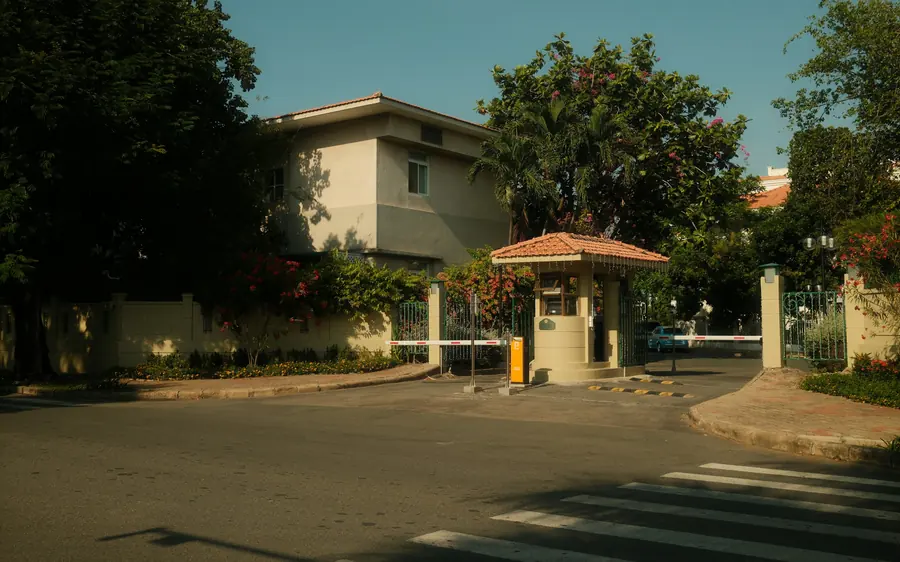
Villa compounds and high-rises use the same books, the same gate and the same staff records — useful when one association owns both.

A/C 2500 · How it works

From the gate to the ledger, one step at a time.

These are the real screens, recorded from the running product. Pick a step to see it.

A/C 2700 · Amenities

The amenities residents pay for, booked properly.

Slots come from each facility’s own hours and rules. A taken slot shows as taken, and the front desk sees who is expected.

Pool and terraceBooked by the hour, from the app
Gym and clubhouseOpening hours, house rules and who booked
Front deskWho is expected, who is inside, who has left

A/C 3000 · Journal Voucher · JV-2026-0841

A service charge writes four lines, not one.

Collect QAR 2,400 from a unit and a real ledger moves in four places at once — income, bank, receivable and the owner’s own account.

Journal Voucher · JV-2026-0841
AccountDebitCredit
Bank — QNB Association A/C2,400.00—
Service Charge Income—2,400.00
Unit Ledger — B-1204—2,400.00
Service Charge Receivable2,400.00—
Total debit4,800.00
Total credit4,800.00
✓ Balanced

A/C 5000 · Built for how a Qatari building is actually run.

Built for how a Qatari building is actually run.

Qatar has no GST, so we do not pretend to solve one. These are the things that genuinely decide whether a tower’s accounts hold up.

01 Service charges

Owners pay into a shared pot, and the argument is always about what it bought.

  • Running account per unit
  • Budget against actual spend
  • Arrears and reminders
  • Shared-facility cost allocation

02 Developer handover

The moment a tower passes from developer to owners’ association is where balances go missing.

  • Opening balances per unit
  • Corpus and reserve funds
  • Asset register with warranties
  • Outstanding snagging

03 Arabic & corporate leases

Two things every Qatar building needs that most software treats as edge cases.

  • Full right-to-left Arabic interface
  • Invoice a company, not the occupant
  • Owner, tenant and occupant as separate records
  • Bilingual documents

A/C 6000 · The whole product

122 screens. One login. Nothing hidden behind “contact sales.”

The gate, service charges, the books, complaints, the board, staff and vendors — every part of running a building is already a screen in ManageDen. Here is all of it, with what is live today marked honestly.

122Live today
122Screens in total
16Areas covered
The Tenant Portal screen in the ManageDen console
The Facility bookings screen in the ManageDen console
The Office hours & holidays screen in the ManageDen console

Overview

1/1

The whole community at a glance: dues, visitors, complaints and bookings on one dashboard.

  • Dashboard — live

Properties

8/8

How the community is laid out: branches, blocks, buildings, units, what is fitted in each, and listings to rent or sell.

  • Companies — live
  • Branches — live
  • Blocks — live
  • Buildings — live
  • Property Units — live
  • Unit Facilities — live
  • Interior Items — live
  • Property Listings (Rent/Resale) — live
Property register →

Residents

9/9

Owners, tenants and families: contracts, KYC, the Tenant Portal, handovers, move-ins and move-outs.

  • User Profiles — live
  • User Schedules — live
  • Tenant Portal — live
  • Contracts — live
  • Owner / Tenant Info — live
  • KYC Documents — live
  • Unit Handover — live
  • Move-in Management — live
  • Move-out Management — live
Owners & tenants →

Finance

13/13

Service-charge bills raised in one run, invoices, receipts, late-payment interest, utilities and budgets.

  • Maintenance Billing / Dues — live
  • Bill Heads — live
  • Invoices — live
  • Payments & Receipts — live
  • Online Payments — live
  • Defaulters / Outstanding — live
  • Interest on Late Payment — live
  • Utility Billing — live
  • Utility Meters — live
  • Budget vs Actual — live
  • Society Accounting — live
  • Asset & AMC — live
  • Inventory / Stock — live
Service charge billing →

Accounting

10/10

Proper double-entry books: ledgers, trial balance, bank reconciliation, funds and financial statements.

  • Chart of Accounts — live
  • Journal / Day Book — live
  • Account Ledger — live
  • Trial Balance — live
  • Member Ledger — live
  • Bank Reconciliation — live
  • Sinking/Reserve/Corpus Funds — live
  • Credit / Debit Notes — live
  • Fixed Deposits — live
  • Financial Statements — live
Association accounting →

Tax & Compliance

6/6

Statutory registers, insurance, contract renewals and a calendar of due dates. India’s GST and TDS appear only for societies in India.

  • GST — live
  • TDS — live
  • Statutory Registers — live
  • Compliance Calendar — live
  • Insurance Management — live
  • AMC / Contract Renewals — live

Procurement

6/6

From requisition to purchase order: quotations compared, goods received and vendor bills paid.

  • Supplier Master — live
  • Purchase Requisitions — live
  • Purchase Orders — live
  • Quotation Comparison — live
  • Goods Receipts (GRN) — live
  • Vendor Bills (AP) — live
Purchasing & vendors →

Maintenance

4/4

Work orders, preventive maintenance on a schedule, and what each asset is worth today.

  • Work Orders — live
  • Maintenance Due — live
  • Preventive Maintenance — live
  • Asset Depreciation — live
Preventive maintenance →

Facilities

7/7

Pool, gym and hall bookings, the services on offer, service requests and the community directory.

  • Facilities — live
  • Facility Categories — live
  • Facility Bookings — live
  • Services — live
  • Service Subcategories — live
  • Service Requests — live
  • Directory Listings — live
Amenity booking →

Security & Gate

18/18

Everyone who comes through the gate: guests, deliveries, vehicles, patrols, blacklists and police verification.

  • Gate & Bookings — live
  • Gate Log — live
  • Gate Passes — live
  • Invite / Expected Guests — live
  • Resident Entry/Exit — live
  • Delivery Management — live
  • Kids Entry / Exit — live
  • Vehicles — live
  • Parking Management — live
  • Emergency Alerts — live
  • Patrol Rounds — live
  • Guard Patrol — live
  • Security Guard Services — live
  • IVR Calling — live
  • Police Verification — live
  • Incident Register (DOR) — live
  • Lost & Found — live
  • Visitor Blacklist — live
Visitor management →

Staff

6/6

Employees and domestic help: attendance, leave, salaries and payroll.

  • Domestic Staff — live
  • Daily-Help Attendance — live
  • Staff Leave — live
  • Staff Salary — live
  • Employee Master — live
  • Payroll — live
Staff & payroll →

Vendors

3/3

A space for the community’s vendors: the jobs given to them, when they are free and what they have earned.

  • Assigned Jobs — live
  • Vendor Availability — live
  • Vendor Earnings — live
Purchasing & vendors →

Helpdesk

8/8

Complaints on an SLA clock, office hours and holidays, feedback and a knowledge base.

  • Complaints — live
  • SLA Board — live
  • Office Hours & Holidays — live
  • Feedback Response — live
  • CC Facility Response — live
  • Ticket Categories — live
  • SLA Policies — live
  • Knowledge Base — live
Complaints & helpdesk →

Governance

7/7

Meetings and AGMs, elections with ballots, approvals, escalations and the document vault.

  • Meetings / AGM — live
  • Meeting Room (run a meeting) — live
  • Society Elections — live
  • Election Ballot & Result — live
  • Approvals — live
  • Escalation Matrix — live
  • Document Vault — live
General meetings & elections →

Community

8/8

Notices, posts, classifieds, events, offers and surveys that keep residents in the loop.

  • Community Posts — live
  • Classifieds — live
  • Announcements — live
  • News & Advertisements — live
  • Events — live
  • Offers — live
  • Surveys — live
  • Notices to Members — live
Notices & community →

Administration

8/8

Who can do what: roles and permissions, the audit log, templates, master data, website enquiries and subscriptions.

  • Roles & Permissions — live
  • Audit Log — live
  • Missing files — live
  • Master Data / Lookups — live
  • Notification & Doc Templates — live
  • Subscription Plans — live
  • Integrations — live
  • Cross-Society Reports — live
Live in product — 122

Your building is a business. Run it like one.

A walkthrough of the ledger, the service charges and the gate — using your own accounts.

A/C 7000 · One console to run it. One app to live in it.

One console to run it. One app to live in it.

Web — the admin console

The full surface for the board, the facility manager and the accountant. Every module, every report, in English or Arabic.

BoardFacility managerAccountantAuditor

Mobile — role-based panels

An app that shows each person only their world. A guard sees the gate. An owner sees their unit, their service charge and their visitors.

OwnerTenantGuardFacility staffVendor

A/C 7500 · Every role

Everyone gets their own app.

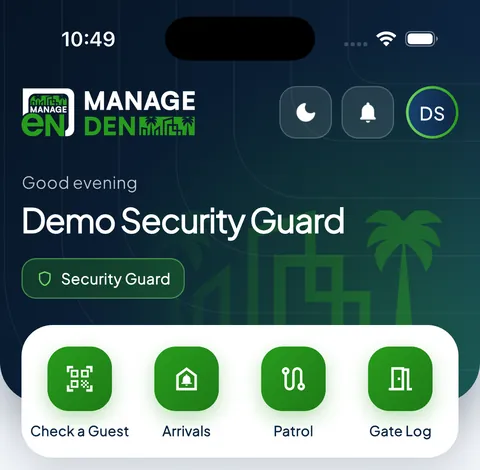
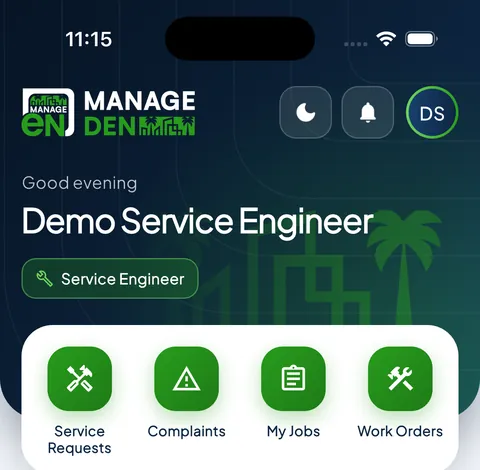
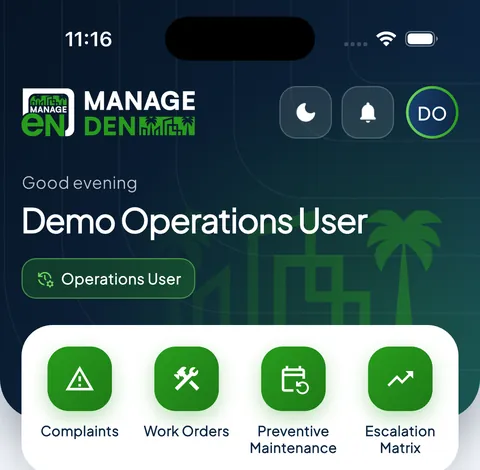
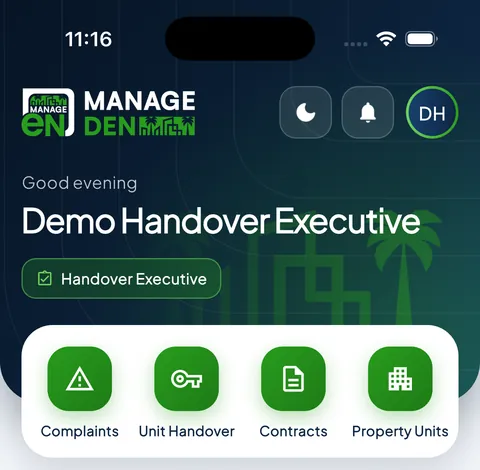
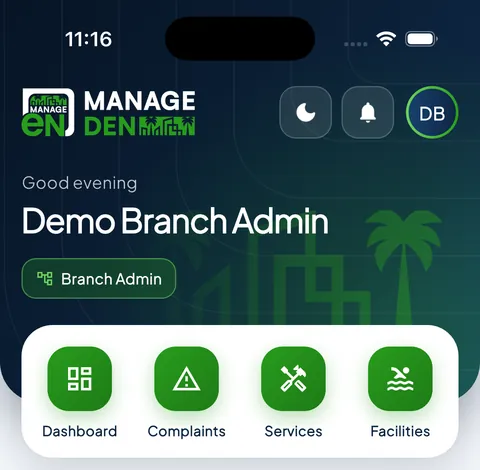
One app, nine roles. Each person signs in and sees only their own screens. These are the real home screens, as each role sees them.
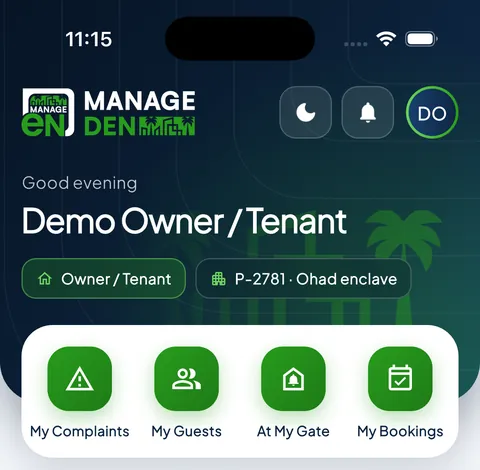
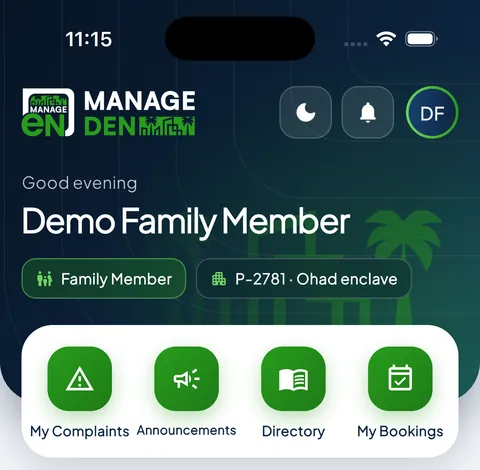
Owner / TenantComplaints, guests, bookings and dues
Family memberThe household’s day to day
Security guardCodes, arrivals and the patrol
Service engineerJobs, work orders and maintenance
OperationsComplaints, work orders and escalations
HandoverUnits, contracts and move-ins
Site managerThe whole site on one screen

Your building is a business. Run it like one.

A walkthrough of the ledger, the service charges and the gate — using your own accounts.

Book a walkthrough WhatsApp us

Questions boards ask

Does it work for an owners’ association in Doha?

Yes. ManageDen keeps unit-level accounts, an owner register and shared-facility costs in one ledger, so a board can show any owner exactly what their service charge paid for.

Is the system available in Arabic?

Yes. Arabic is a full right-to-left interface, not a language toggle over an English layout, and residents can use Arabic while the accountant works in English.

Can we bill a company rather than a resident?

Yes. Corporate leases are common in Qatar, so an invoice can be raised against an employer while the unit still shows who lives there.

Does it handle a mix of owners and tenants?

Yes. Owner, tenant and corporate occupant are separate records against the same unit, so dues follow the right payer.

A/C 5000 · Tell us about your society

Your building is a business. Run it like one.

A walkthrough of the ledger, the service charges and the gate — using your own accounts.

Phone or email — either one is enough.

More about your society (optional)

Anywhere — we are not limited to the cities listed above.

We will call you back. No sales sequence, no drip emails.

Prefer to talk right now?

Your building is a business. Run it like one.

A walkthrough of the ledger, the service charges and the gate — using your own accounts.